Setting up your ingredients
In Settings, under Set up once, press Packs.
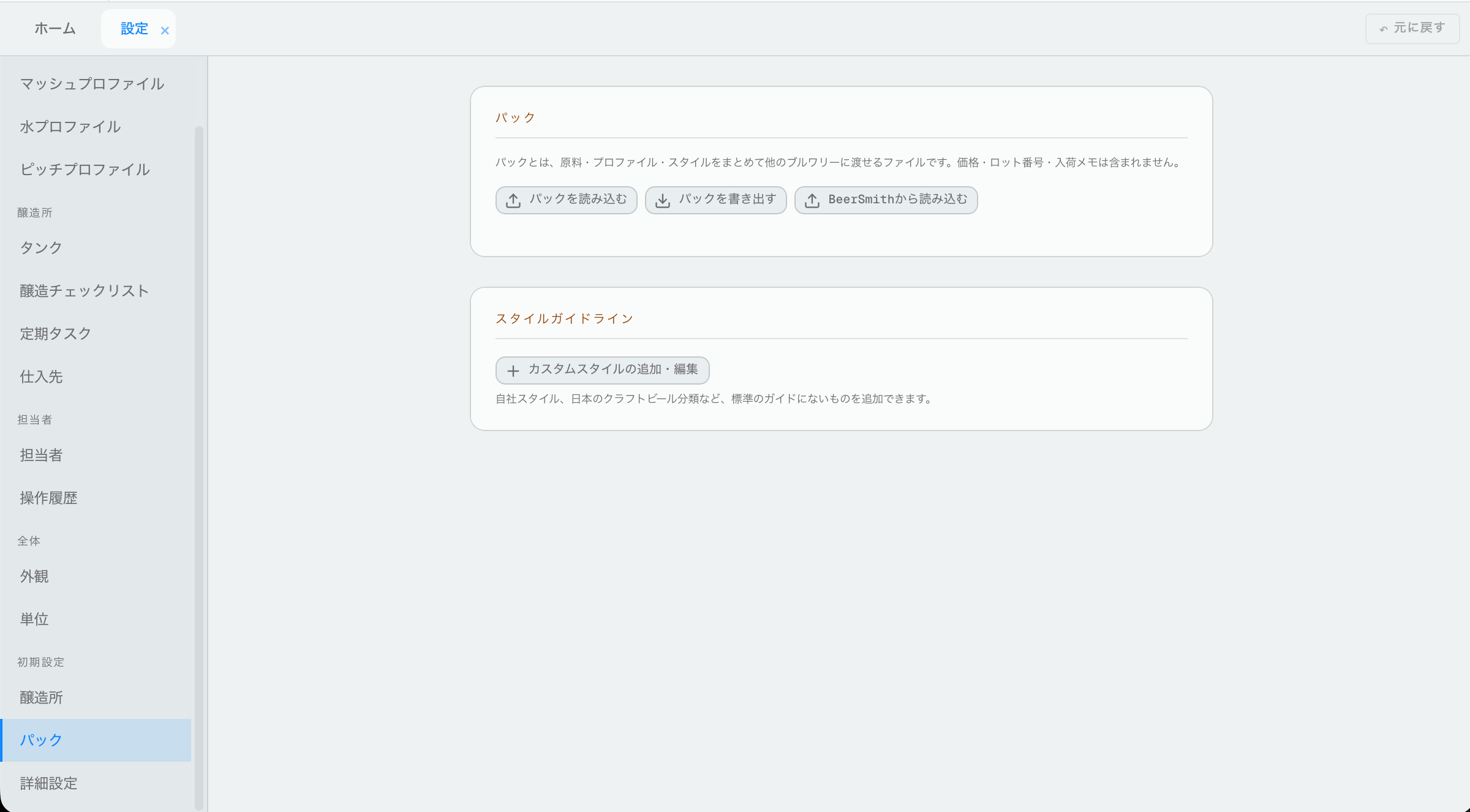
2.1Install packs
A pack is a set of ready-made things you bring into Hakkotome: ingredients, mash profiles, water profiles, styles and more. There are ready-made packs to start from, so do this first.
- Press Import a pack. You'll see the list of packs.
- Press Install on the one you want.
- Tick the ones you want. Tick them all, or only the few you need.
- Press Import.
They're now in your library.
If something is already in your library, the list says so at the bottom, and it isn't imported again.
Packs never bring prices, lot numbers or delivery notes. Fill in your own prices after you import.
2.2Share your own pack
If you've made your own ingredients or profiles and want to share them, press Export a pack. Pick what kind and who made it, untick anything you don't want to share, then choose one of two buttons:
- Send to the cloud: we look it over first. Once it's approved, every brewery sees it in their Install list. Until then it says Waiting for approval under Sent to the cloud at the bottom of the same window. If it's turned down, it says why there.
- Save as a file: a file you can email straight to another brewery, if you don't want to wait. They install it with Import a pack → Install from a file instead.
Your prices, lot numbers, delivery notes and suppliers never go with a pack.
Sending the same pack again replaces it, and it waits for approval again.
2.3Import your whole library
If you used another brewing program before, such as BeerSmith or Brewfather, you can bring your whole library in at once: all your grains, hops, yeasts and other ingredients.
- In your old program, export your library:
- BeerSmith: open an ingredient list (for example Grains), select the
items (or all of them), then File → Export Selected Items or
Export All. Save it as a BeerSmith file (
.bsmx) or BeerXML (.xml). - Brewfather: Inventory → Export → Export all my inventory → Inventory BeerXML. - In Hakkotome, press Import library, then Choose a file.
- Choose the file. If it has stock amounts in it, they come in as your opening stock.
2.4Add your own style
Style guidelines are under Packs too. If your beer's style isn't in any guideline (your own house style, or a Japanese craft beer category), add it.
- Press Add or edit a custom style.
- Fill in its ranges (gravity, ABV and the rest) and notes about it.